



1/5
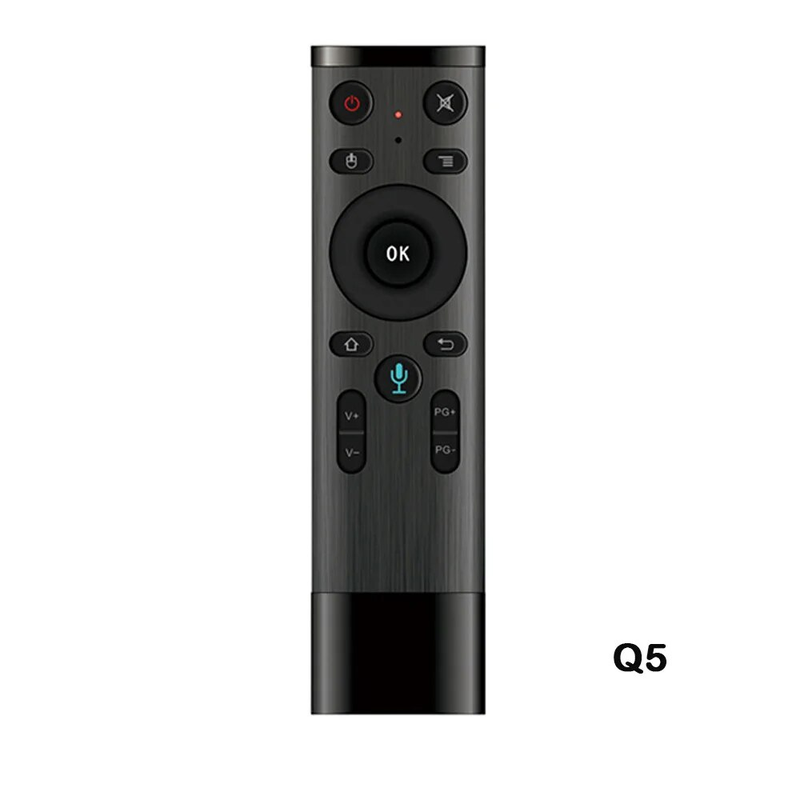
Q5 Air Mouse 2.4G télécommande vocale sans fil Gyroscope contrôleur avec récepteur USB pour projecteur Smart TV
521.11
639.68
-19%
24.49-24.25
60621.83-6062.18
48473.22-4849.75
31499.10-3152.34
Numéro d'article: 18393046
Couleur


48,25 Kč Livraison à Voghion
Arrive dans 18 à 30 jours ouvrables
Buyer Protection
Description de l'article par le vendeur
Parameters:
Wireless IC:3-Gyro + 3-Gsensor
Amount of key:16
Control distance:More than 10m
Battery Type: AAAx 2(Not Included)
Working Power: Less than 10mA inthe work condition
Material: Plastic and Silicone
Color: Black
Size:158mm*41mm*14mm
Package List:
Remote Control * 1(Not Included Battery)
USB Receiver * 1
Manual * 1
Operating instructions
(1)Paring Press the ''PG-'' and ''V-'' on the panel at the same time , if the LED red light ficker fast , insert the receiver to the computer or the ANDROID device USB interface. If the led light is power off, paring is successful(Paried successfull when out of factory)
(2)Function of the key
CURSORLOCK:Short press to lock the cursor,and then return the cursor state.
HOME:After entering the sub-menu you can back to the original main menu directly
Return:You can press the return key to put the unit into last interface.
In the sate of PC the ''oK'' is the left key of the mouse and ''Return'' is the right key.
Press ''HOME'' can open the internet by this key
Working state instruction
(1)While the controller in the sate of working condition,
Press any key the LED light will fiash, Loosen the finger , the LED light will be off.
(2)Cursor speed regulauen
From slow to fast: Press ''OK'' and ''VOL+'' at the sane time , the speed of cursor pornter will be faster.
From fast to slow:Press ''OK'' and ''VOL-'' at the same time , the speed of cursor pointer will be slower.