

Voghion: Explora, compra, disfruta
Cupones de 99€ para usuarios de la aplicación
CONSEGUIR







1/6
pagar en 3 o 4 cuotas
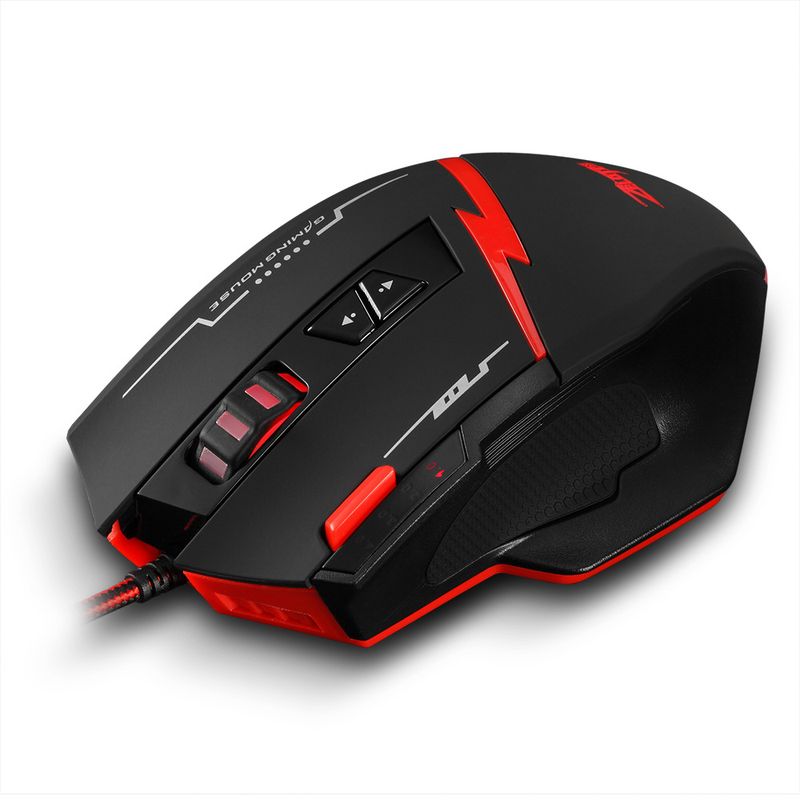
Ratón ZELOTES Gripper C8 de 8 botones para programación de juegos, con macros de pistola personalizadas y modelos privados.
33,20€
59,44€
-44%
1,01€-1,00€
2.500,00€-250,00€
1.999,00€-200,00€
1.299,00€-130,00€
Número de artículo: 31342557
color
1,99€ Entrega Voghion
Llega en 18~30 días hábiles.
Buyer Protection
Especificaciones del artículo
Características
Espejo, Mate, RGB, Luz única, Luz mixta, Mate
Eje
Otro
Teclado numérico
Sí No
Conexión
Inalámbrico, con cable, Bluetooth
Tamaño
<100 mm
Descripción del artículo del vendedor
C-8
Programming Gaming Mouse
[Chinese Manual]
Manufacturer: Shenzhen Master Electronic Technology Co., Ltd.
Package content (
Annex)
mouse x1, manual, warranty card x1 screwdriver x1 interchangeable right wing x1
System requirements
IBM or compatible computer
Windows: 2000/ME/XP (x64)/Vista/7/8
Mac OS X (V10.4 and above)
A working USB port
schematic diagram of product structure
Component function description
● ① Left button ② Right button ③ Universal scrolling ④ Increase resolution
⑤ Reduce the resolution (6) Three combos (7) Light switch (8) Profile cycle
● 4-gear adjustable DPI design, gears are: 1000-1500-2000-2500DPI.
1 light is on every time you change gear.
Specifications
Number of keys: 8 keys
Tracking system: Optical
USB cable length: 1.8m
Working voltage/current: 5V/100mA
Key life: 10 million times
Roller life: 1.20 million
Product size: 129 * 81 * 41mm
Product weight: 135 ± 5 grams
Resolution: 1000-1500-2000-2500DPI
Return Rate: 125-1000Hz
L
Reminder: Please tear off the foot pad protective film before use.
3.
[Product features and detailed instructions for use]
Product features
◎ Ergonomic design
Ergonomic design, comfortable feel, suitable for gaming and office.
◎ Four-speed DPI transmission
1000-1500-2000-2500DPI four gears to switch, each gear has a corresponding light prompt.
◎ E-sports high-speed rate of return
The rate of return represents the data transmission speed between the mouse and the computer. A higher rate of return in game competition can better play the performance of the mouse, allowing the mouse to have zero delay and no frame skipping in intense games, which is more practical for gamers.
◎ The product has memory storage function
128KB onboard memory, you can save the setting data, boot still keep the last operation state, more worry-free.
[Introduction to macro functions]
◎ When a macro enters from the "Key N" option, the selected macro is activated and launched with the left button. For example, set the No. 4 key to the key combination ABCD. When the No. 4 key is pressed, the function of the left button is ABCD.
◎ Select another button as the close macro, that is, "Close the N key". When opening the N macro, the mouse light is always on, and close the N macro to restore the normal color setting.
◎ If you enter from the assignment macro, select which key to use as the assignment macro to launch on which key, for example, set the No. 4 key to 1234, and the function when pressing the No. 4 key is 1234.
◎ The configuration file is divided into 2 groups. You can choose a button as the configuration file to switch to the second group, or directly through the driver settings. The light of the second group of configuration files defaults to blue light, and other colors can also be set by yourself.
◎ A maximum of 32 left clicks can be set in the gun library, and each click can adjust the cursor movement. Y + is the cursor moving up, Y- is moving down, X- moves left, and X + moves right.