

Voghion: Entdecken, einkaufen, genießen
99€-Gutscheine für App-Nutzer
ERHALTEN




1/5
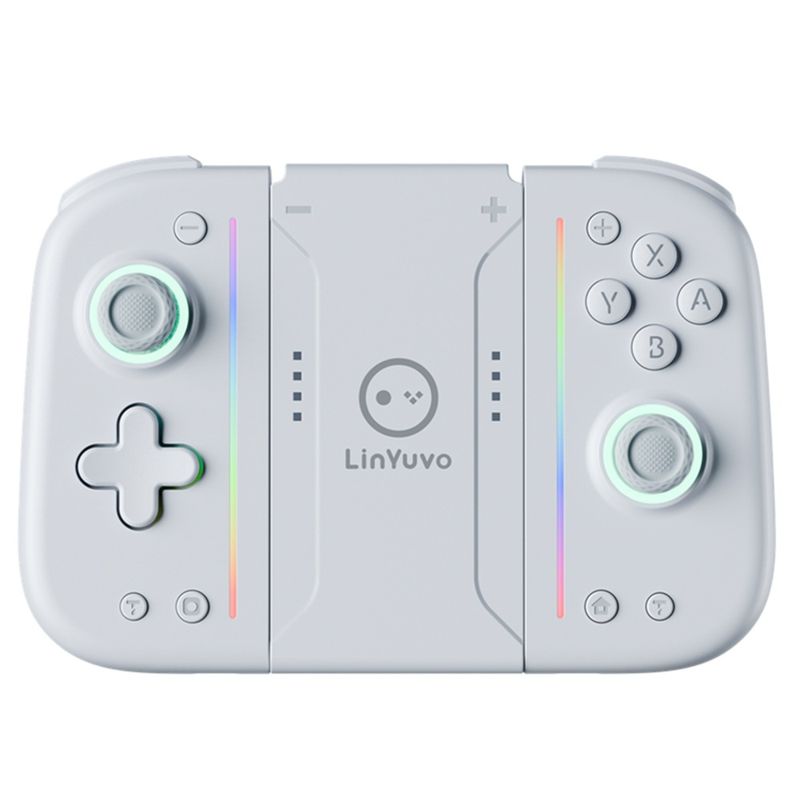
Yuvo Switch Joy-Con Mechanische Taste mit selbstklebender Rückseite, bunte LED-Ro-Funktion, Bluetooth-Gamecontroller
17266.56
25026.60
-31%
953321.67-95332.17
762276.00-76265.73
495345.94-49572.73
339001.18-34319.58
Artikelnr.: 31270820
Produktfarbe


Ft1140.17 Voghion Lieferung
Lieferung in 20–40 Werktagen
Buyer Protection
Artikelmerkmale
Steckertyp
Keine, EU-Stecker, US-Stecker
Batterieeigenschaften
Nicht wiederaufladbare Batterie
Artikelbeschreibung vom Verkäufer
1. The handle comes with a one key continuous transmission function and three adjustable speeds;
2. The controller is equipped with a back button to achieve mapping and ro functions;
3. The handle comes with adjustable colorful RGB lighting effects, 8 colors of LED lights, 4 different lighting modes, and 4 adjustable brighess levels;
4. Equipped with one click wake-up function for the host;
5. Upgrade the metal joystick;
6. Adjustable vibration dual motors;
7. The handle comes with 10 mechanical buttons for a better tactile experience;
ro function
Long press the right M button without releasing it, enter the button you want to edit (up to 20 steps). After releasing the right M button, there will be a vibration prompt on the handle. Pressing the MR button again will trigger the ro button;
Long press the left M button without releasing it, enter the button you want to edit (up to 20 steps). After releasing the left M button, there will be a vibration prompt on the handle. Pressing the ML button again will trigger the ro button.
The ro editable keys are A B、X、Y、L1、R1、L2、R2、L3、R3、+、-、 Cross key, two joysticks (can be used as combos in games).
Mapping function
Long press the right M button without releasing it, enter the single button you want to map. After releasing the right M button, there will be a vibration prompt on the handle. Pressing the MR button again will trigger the mapping button;
Long press the left M button without releasing it, enter the single button you want to map. After releasing the left M button, there will be a vibration prompt on the handle. Pressing the ML button again will trigger the mapping button.
Map editable keys as A B、X、Y、L1、R1、L2、R2、L3、R3、+、-、 Cross key.
Note: 1. The left M key only sets programmable keys for the left joystick;
The right M key only sets programmable keys for the right joystick.
2. Equipped with memory function;
3. Long press or short press the programming keys left M/right M to clear the ro and mapping functions of ML/MR without the need for task actions. After releasing the hand, there will be a vibration prompt.