

Voghion: Esplora, acquista, divertiti
Coupon da 99€ per gli utenti dell'app
OTTENERE






1/8
pagare in 3 o 4 rate
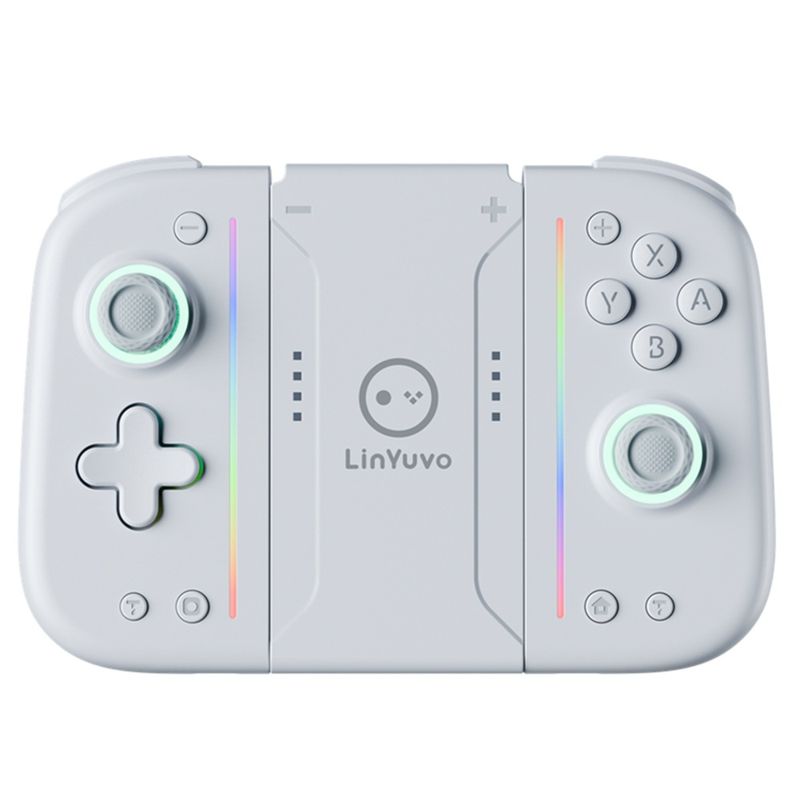
Pulsante meccanico LinYuvo Switch Joy Con con retro adesivo, luci colorate, funzione Ro, gioco Bluetooth
56.12
93.35
-40%
2500.00-250.00
1999.00-200.00
1299.00-130.00
889.00-90.00
Articolo n.: 32433909
Colore del prodotto
1,99€ Consegna Voghion
Arriva in 18~30 giorni lavorativi
Buyer Protection
Specifiche dell'articolo
Tipo di spina
Nessuno, spina europea, spina americana
Attributi della batteria
Batteria non ricaricabile
Descrizione dell'articolo da parte del venditore
1. The handle comes with a one key continuous transmission function and three adjustable speeds;
2. The controller is equipped with a back button to achieve mapping and ro functions;
3. The handle comes with adjustable colorful RGB lighting effects, 8 colors of LED lights, 4 different lighting modes, and 4 adjustable brighess levels;
4. Equipped with one click wake-up function for the host;
5. Upgrade the metal joystick;
6. Adjustable vibration dual motors;
7. The handle comes with 10 mechanical buttons for a better tactile experience;
ro
Long press the right M button without releasing it, enter the button you want to edit up to 20 steps. After releasing the right M button, there will be a vibration prompt on the handle. Pressing the MR button again will trigger the ro button;
Long press the left M button without releasing it, enter the button you want to edit up to 20 steps. After releasing the left M button, there will be a vibration prompt on the handle. Pressing the ML button again will trigger the ro button.
The editable keys for ros are A, B, X, Y, L1, R1, L2, R2, L3, R3,+, -, cross keys, and two joysticks which can be used as combos in games.
Mapping function
Long press the right M button without releasing it, enter the single button you want to map. After releasing the right M button, there will be a vibration prompt on the handle. Pressing the MR button again will trigger the mapping button;
Long press the left M button without releasing it, enter the single button you want to map. After releasing the left M button, there will be a vibration prompt on the handle. Pressing the ML button again will trigger the mapping button.
The editable keys for mapping are A, B, X, Y, L1, R1, L2, R2, L3, R3,+, -, and cross keys.
Note: 1. The left M key only sets programmable keys for the left joystick;
The right M key only sets programmable keys for the right joystick.
2. Equipped with memory function;
3. Long press or short press the programming keys left M/right M to clear the ro and mapping functions of ML/MR without the need for task actions. After releasing the hand, there will be a vibration prompt.