

Voghion: Explorar, comprar, desfrutar
Cupões de 99€ para utilizadores da aplicação
PEGAR








1/6
pagar em 3 ou 4 parcelas
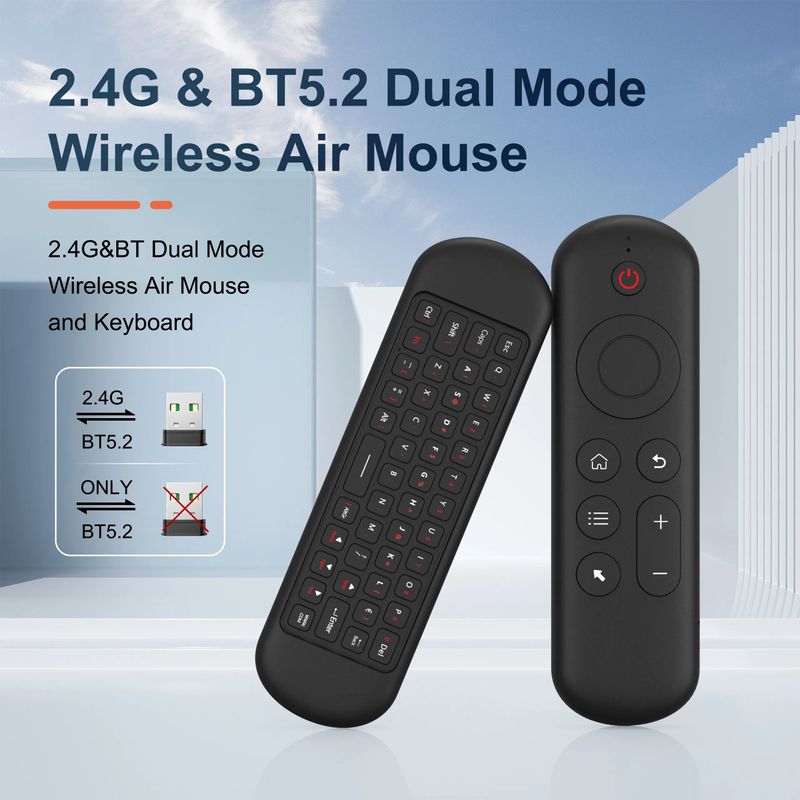
Mini teclado bluetooth 5.0 2.4g sem fio air mouse backlight controle remoto de voz para computador portátil android tv box
25,12€
34,51€
-27%
1,01€-1,00€
2.500,00€-250,00€
1.999,00€-200,00€
1.299,00€-130,00€
Item nº: 18391341
Cor


2,99€ Entrega Voghion
Chega em 20 a 40 dias úteis
Buyer Protection
Especificações do item
Características
Luz única, para canhotos, espelho
Eixo
Eixo Verde, Outro, Eixo Vermelho
Teclado numérico
Não, sim
Conexão
Sem fio, Bluetooth, multimodo
Tamanho
<100Mm,>130Mm,100Mm-120Mm
Descrição do item do vendedor
Mini Bluetooth 5.0 Keyboard 2.4G Wireless Air Mouse Backlight Voice Remote Control for Computer Laptop Android TV Box Smart TV
2 . 4G MODE
For initial use , plug a USB receiver into the USB port of device and waitfor 20-60 seconds to install driver of USB receiver . Move the mousethe mouse cursor can move on the screen means that pairingis successful
if it is unsuccessful , press and hold [ OK and [ BACK ] buttons , LED light begin to flash . Pairing is successful when LED light stop flashing
BT 5.0 MODE
1 . Before using this device , first you must turn on the BT function of thelain device
2 . Then long press OK + Return keys , when the LED turns to flashhe product enters the pre pairing
3 , Click add search new devices on the main device to find this airemotes name ( Example : BT-REMOTE ) . Click the name can to connecting
4 . After the product is successfully connected , the direction of themouse pointer can be controlled by waving in the air
5 .If the connection is not successful , please perform the operationsteps of item 2-4 again
6 . Reconn ent efficiency description : The normal reconnent time of thiproduct is 3-5 seconds after it is normally paired with themain equipment
7 . This product can only remember the pairing information of one maindevice , when the product is connected to a new device , theconnection of historical devices is not supported after
8 . in this case . you need to delete the historical connection informationof this peripheral can be successfully matched for new search
CPIADJUSTMENT
CPI ( Count Per Inch ) . Speed of the Mouse Cursor
Adjustment ( 3 Levels ) , 1 , 2 , 3 Level . The higher the level , the faster the speed . The default speed isset at level 2
1 . Speed Increase
Press OK button + Volume + ] button for about 3seconds , the work indicator flashes quickly and thengoes off , release the button , CPI on the basis of theoriginal increase 1 level
2 . Speed Decrease
Press [ OK ] + olume - for about 3 seconds , thework indicator flashes quickly and then goes off ,release the button , and CPI is reduced by 1 level onthe basis of the original