

Voghion: Explorar, comprar, desfrutar
Cupões de 99€ para utilizadores da aplicação
PEGAR




1/5
pagar em 3 ou 4 parcelas
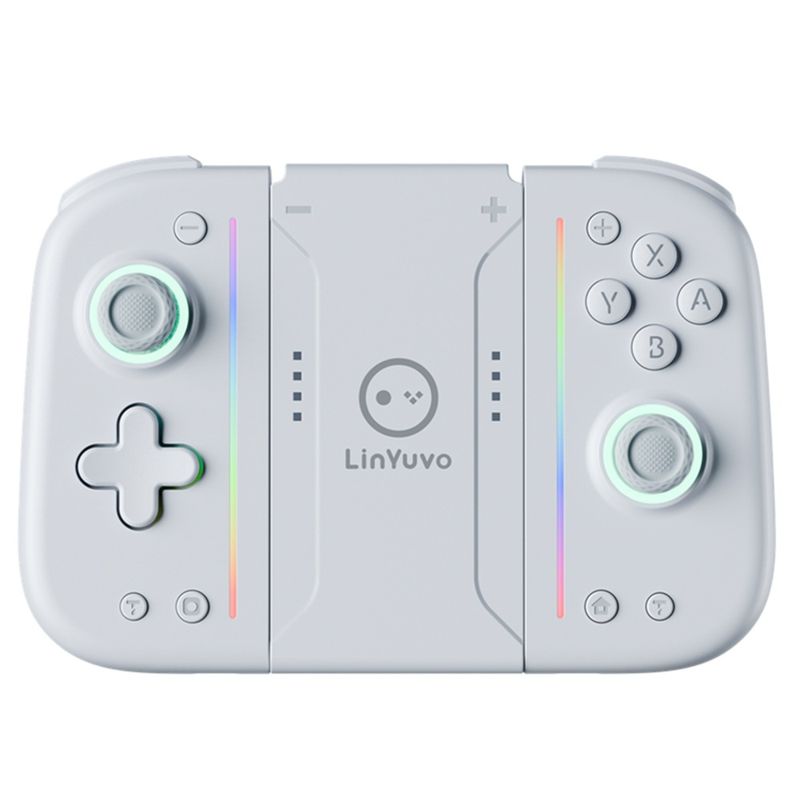
Botão mecânico Yuvo Switch Joy-Con com adesivo, função RO LED colorida, controle de jogo Bluetooth
45.28
65.63
-31%
2500.00-250.00
1999.00-200.00
1299.00-130.00
889.00-90.00
Item nº: 31270820
Cor do produto


2,99€ Entrega Voghion
Chega em 20 a 40 dias úteis
Buyer Protection
Especificações do item
Tipo de plugue
Nenhum, plugue da UE, plugue dos EUA
Atributos da bateria
Bateria não recarregável
Descrição do item do vendedor
1. The handle comes with a one key continuous transmission function and three adjustable speeds;
2. The controller is equipped with a back button to achieve mapping and ro functions;
3. The handle comes with adjustable colorful RGB lighting effects, 8 colors of LED lights, 4 different lighting modes, and 4 adjustable brighess levels;
4. Equipped with one click wake-up function for the host;
5. Upgrade the metal joystick;
6. Adjustable vibration dual motors;
7. The handle comes with 10 mechanical buttons for a better tactile experience;
ro function
Long press the right M button without releasing it, enter the button you want to edit (up to 20 steps). After releasing the right M button, there will be a vibration prompt on the handle. Pressing the MR button again will trigger the ro button;
Long press the left M button without releasing it, enter the button you want to edit (up to 20 steps). After releasing the left M button, there will be a vibration prompt on the handle. Pressing the ML button again will trigger the ro button.
The ro editable keys are A B、X、Y、L1、R1、L2、R2、L3、R3、+、-、 Cross key, two joysticks (can be used as combos in games).
Mapping function
Long press the right M button without releasing it, enter the single button you want to map. After releasing the right M button, there will be a vibration prompt on the handle. Pressing the MR button again will trigger the mapping button;
Long press the left M button without releasing it, enter the single button you want to map. After releasing the left M button, there will be a vibration prompt on the handle. Pressing the ML button again will trigger the mapping button.
Map editable keys as A B、X、Y、L1、R1、L2、R2、L3、R3、+、-、 Cross key.
Note: 1. The left M key only sets programmable keys for the left joystick;
The right M key only sets programmable keys for the right joystick.
2. Equipped with memory function;
3. Long press or short press the programming keys left M/right M to clear the ro and mapping functions of ML/MR without the need for task actions. After releasing the hand, there will be a vibration prompt.